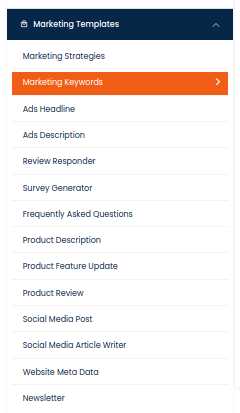
Marketing Keywords

Introducing our Marketing Keywords AI Tool, a powerful and innovative solution designed to revolutionize the way businesses approach keyword research and optimization. With our advanced AI technology, you can say goodbye to time-consuming manual keyword research and hello to a more efficient and effective marketing strategy.

How to Generate Marketing Keywords Using AI Tools?

One of the key features of the Marketing Keywords AI is its ability to identify high-performing keywords that are most relevant to your target audience. This can help you improve the effectiveness of your SEO, PPC, and content marketing efforts by ensuring that you are using the most impactful keywords in your campaigns.

Additionally, the tool can also assist you in identifying new keyword opportunities that you may not have considered before, allowing you to stay ahead of the competition and capitalize on emerging trends.

The Marketing Keywords AI also offers valuable insights into keyword performance and trends, allowing you to make data-driven decisions about your marketing strategy. Whether you are looking to expand into new markets, launch a new product, or refine your existing campaigns, this tool can provide you with the information you need to make informed choices.

Overall, the Marketing Keywords AI is a game-changer for any marketing professional looking to improve the performance of their campaigns and drive better results. With its advanced capabilities and intuitive interface, it is the perfect tool for staying ahead in today’s competitive digital landscape.

STEP 1
Gain access to powerful AI tools simply by clicking on the AI Editor Tool option. Once you click it, you’ll be taken to the AI Editor Tool page, where you’ll be able to utilize a wide variety of AI tools to your advantage. So if you’re looking to make the most out of your AI experience, then clicking on the AI Editor Tool option in the main menu is your first step!
1) Dashboard Option
STEP 2
In order to improve your AI experiences, one of the features available on the AI Editor Tools page is the option to expand your story. Upon selection of this feature, the AI Editor Tools page will provide you with various options to develop your story.
STEP 3
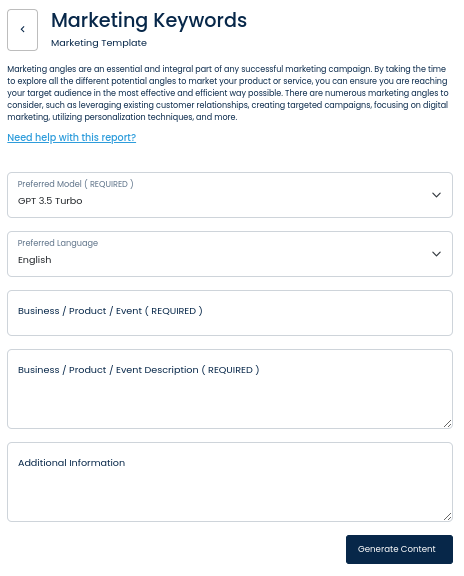
On the left side section, fill out the form with the input content that you would like to run as input.

If there are any other form inputs, then fill them in (this will only be applicable to certain reports; if this is not available, skip to Step 4).
STEP 4
Generate your content by clicking on the Generate Content button.
STEP 5
Your output content will appear on the right side of the section after a short while.
STEP 6
Copy your output content for further use by clicking the Copy to Clipboard button.
Note: You can also access your output content from the History section in the future.