
Website Meta Data Explained: Boost Your SEO & User Experience

Website Meta Data refers to the information that provides details about a webpage and its content. This data helps search engines and other web services understand what the webpage is about and how it should be indexed and ranked. Meta Data typically includes information such as page title, description, keywords, and other relevant information.

How to Generate Website Meta Data Using AI Tools?

To generate Website Meta Data using AI tools, you typically follow a process that leverages AI algorithms to create optimized titles, descriptions, and keywords. This involves inputting your content or topic into an AI editor tool, which then processes the information to suggest relevant meta data. One of the key features of Website Meta Data is its ability to improve search engine optimization (SEO). By including relevant keywords and descriptions in the meta data, website owners can improve their chances of ranking higher in search engine results. This can lead to increased visibility and traffic for the website. Another important aspect of Website Meta Data is its role in enhancing the user experience. By providing accurate and informative meta data, website owners can help users find the content they are looking for more easily. This can lead to higher engagement and satisfaction among visitors. Additionally, Website Meta Data can also play a role in social media sharing. When a webpage is shared on platforms like Facebook or Twitter, the meta data is often used to populate the shared post with a title, description, and image. This can make the shared content more appealing and informative to other users. In conclusion, Website Meta Data is a crucial tool for website owners looking to improve their visibility, user experience, and social media sharing. By optimizing and managing their meta data effectively, website owners can boost their online presence and attract more visitors to their site.

How do you gain access to powerful AI tools?

Gain access to powerful AI tools simply by clicking on the AI Editor Tool option. Once you click it, you’ll be taken to the AI Editor Tool page, where you’ll be able to utilize a wide variety of AI tools to your advantage. So if you’re looking to make the most out of your AI experience, then clicking on the AI Editor Tool option in the main menu is your first step!

1) Dashboard Option

How do you expand your story using AI Editor Tools?
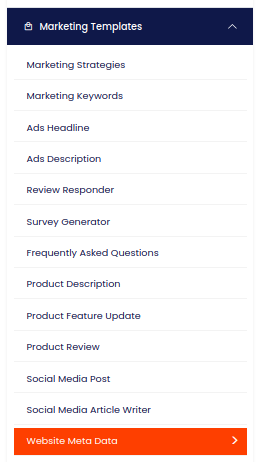
In order to improve your AI experiences, one of the features available on the AI Editor Tools page is the option to expand your story. Upon selection of this feature, the AI Editor Tools page will provide you with various options to develop your story.

How do you fill out the form with input content?

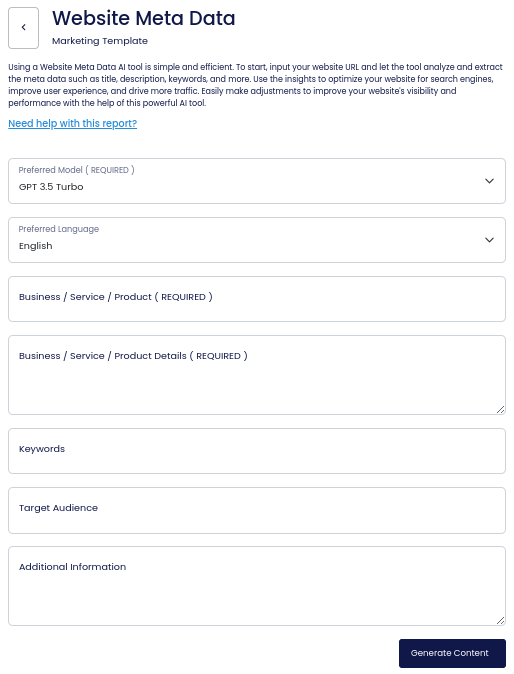
On the left side section, fill out the form with the input content that you would like to run as input.

If there are any other form inputs, then fill them in (this will only be applicable to certain reports; if this is not available, skip to Step 4).

How do you generate your content?

Generate your content by clicking on the Generate Content button.
Where will your output content appear?

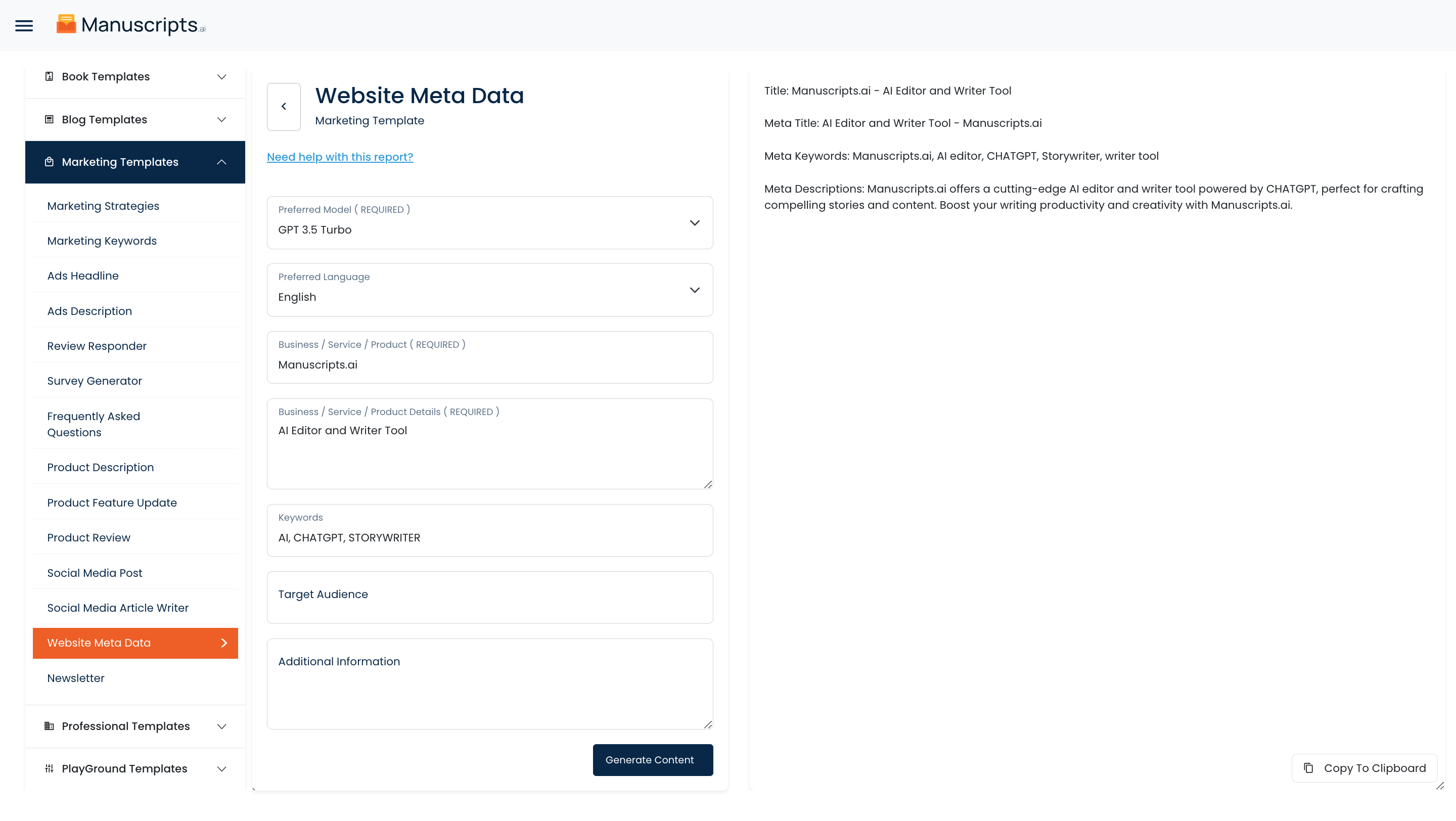
Your output content will appear on the right side of the section after a short while.
How do you copy your output content?

Copy your output content for further use by clicking the Copy to Clipboard button.

Note: You can also access your output content from the History section in the future.