
AI Social Media Article Writer: Generate Engaging Content Fast
Introducing the Social Media Article Writer, an AI-powered tool designed to enhance and streamline the content creation process for social media articles. This innovative tool is equipped with advanced natural language processing capabilities, enabling it to generate high-quality and engaging written content for various social media platforms.
How to Write a Social Media Article Using AI Tools?
The Social Media Article Writer leverages machine learning algorithms to analyze user-provided inputs, such as keywords, topics, and target audience demographics, in order to produce compelling and relevant articles. Whether it’s a blog post, a product review, or a promotional piece, this tool offers a range of customizable options to cater to different writing needs.
With its ability to understand and mimic human language patterns, the Social Media Article Writer can craft content that resonates with readers and drives engagement. From catchy headlines to persuasive calls-to-action, this tool is designed to capture and retain the attention of social media users.
Moreover, the Social Media Article Writer is equipped with a plagiarism checker to ensure that all content generated is original and free from any copyright violations. It also offers content optimization features, including keyword incorporation and SEO-friendly writing, to enhance the discoverability of articles across social media platforms.
In conclusion, the Social Media Article Writer is a valuable asset for content creators, marketers, and businesses looking to streamline their social media marketing efforts. Whether you’re looking to boost brand awareness, drive traffic, or increase conversion rates, this AI-powered tool provides the necessary tools and capabilities to achieve your content goals.
STEP 1
Gain access to powerful AI tools simply by clicking on the AI Editor Tool option. Once you click it, you’ll be taken to the AI Editor Tool page, where you’ll be able to utilize a wide variety of AI tools to your advantage. So if you’re looking to make the most out of your AI experience, then clicking on the AI Editor Tool option in the main menu is your first step!
| 1) Dashboard Option |  |
STEP 2
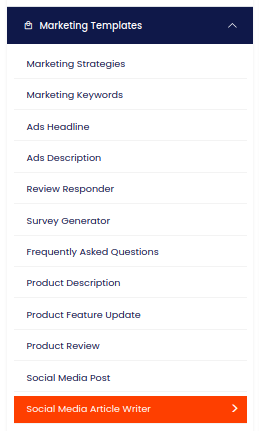
STEP 3
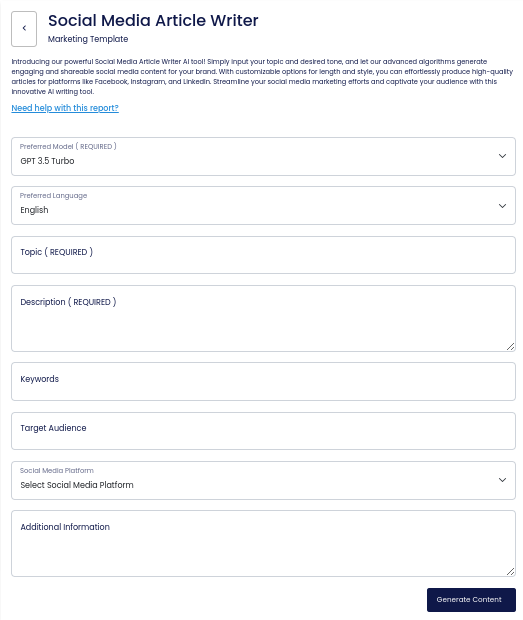
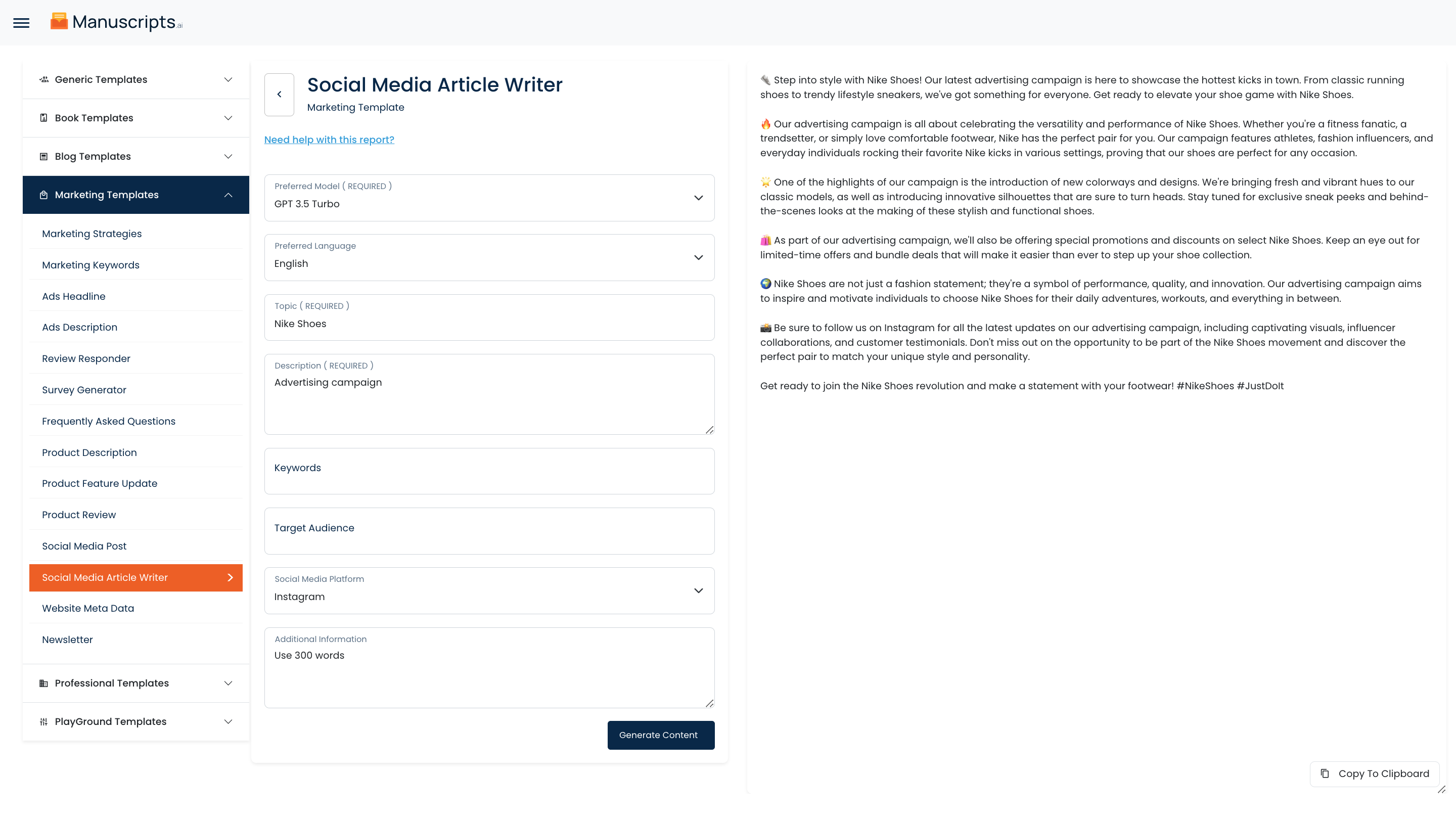
On the left side section, fill out the form with the input content that you would like to run as input.
If there are any other form inputs, then fill them in (this will only be applicable to certain reports; if this is not available, skip to Step 4).
STEP 4
Generate your content by clicking on the Generate Content button.
STEP 5
Your output content will appear on the right side of the section after a short while.
STEP 6
Copy your output content for further use by clicking the Copy to Clipboard button.

Note: You can also access your output content from the History section in the future.