
Best AI Rewrite Tools for Content Paraphrasing & SEO
Are you struggling to re-write your story content? Our Rewrite AI Tool is here to help! Access it within your book and get your story content fine-tuned with AI, keeping the dialogues and meaning intact. Try it now!
How To Rewrite Using AI Tools?
How do you access the AI Editor Tool?
Gain access to powerful AI tools simply by clicking on the AI Editor Tool option. Once you click it, you’ll be taken to the AI Editor Tool page, where you’ll be able to utilize a wide variety of AI tools to your advantage. So if you’re looking to make the most out of your AI experience, then clicking on the AI Editor Tool option in the main menu is your first step!
| 1) Dashboard Option |  |
| 2) Dashboard Sidebar Option |  |
| 3) Book Editor Sidebar Option |  |
How do you expand your story using the AI Editor Tool?
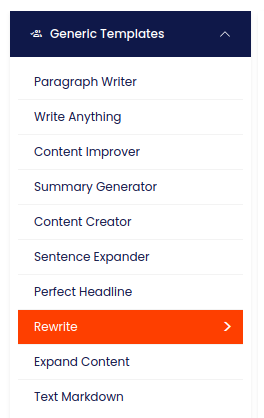
How do you input content into the Rewrite AI Tool?
On the left side section, fill out the form with the input content that you would like to run as input.
If there are any other form inputs, then fill them in (this will only be applicable to certain reports; if this is not available, skip to Step 4).
How do you generate content with the Rewrite AI Tool?
Generate your content by clicking on the Generate Content button.

Where does the generated content appear?
Your output content will appear on the right side of the section after a short while.

How do you copy the generated content?
Copy your output content for further use by clicking the Copy to Clipboard button.

What are the key benefits of the Rewrite AI Tool?
In conclusion, the Rewrite AI Tool offers a powerful and convenient solution for authors looking to enhance and transform their content into different genres effortlessly. With its advanced NLP capabilities, it not only ensures the content retains its original meaning but also adapts it seamlessly to the chosen genre. The cloud-enabled nature of the tool means it’s accessible anytime, anywhere, without the need for additional hardware. This tool is perfect for those who want to refresh their content, ensure it’s error-free, and explore new creative perspectives while keeping their work secure. Give Rewrite AI a try, and elevate your storytelling to new heights!
Note: You can also access your output content from the History section in the future.