
AI Product Review Tool: Analyze Customer Sentiment & Gain Insights
Introducing our revolutionary product review tool, designed to help businesses gather valuable feedback and insights from customers to improve their products and services. Our AI-powered tool is a game changer in the world of customer feedback, offering an efficient and effective way for businesses to collect, analyze, and act on customer reviews.
How to Generate Product Review Using AI Tools?
One of the key features of our product review tool is its ability to automatically categorize and analyze customer sentiments, allowing businesses to quickly identify trends and patterns in feedback. This enables businesses to understand what aspects of their products or services are working well and where improvements are needed. Our AI technology also extracts key phrases and keywords from reviews, providing businesses with actionable insights they can use to make informed decisions.
In addition, our product review tool offers advanced analytics and reporting capabilities, allowing businesses to track and measure the impact of customer feedback on their bottom line. This helps businesses to prioritize areas for improvement and measure the success of their efforts.
Furthermore, our tool includes a user-friendly interface that makes it easy for businesses to manage and respond to customer reviews in real-time. This allows businesses to engage with their customers and build stronger relationships, ultimately leading to increased customer satisfaction and loyalty.
Overall, our product review tool is a must-have for businesses looking to stay ahead of the competition by leveraging the power of customer feedback. With its AI-driven features, businesses can gain valuable insights, improve their products and services, and ultimately drive greater success.
What is the first step to access the AI Editor Tool?
Gain access to powerful AI tools simply by clicking on the AI Editor Tool option. Once you click it, you’ll be taken to the AI Editor Tool page, where you’ll be able to utilize a wide variety of AI tools to your advantage. So if you’re looking to make the most out of your AI experience, then clicking on the AI Editor Tool option in the main menu is your first step!
| 1) Dashboard Option |  |
What is the second step to expand your story?
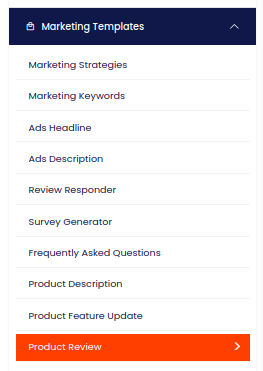
What is the third step to fill out the input form?
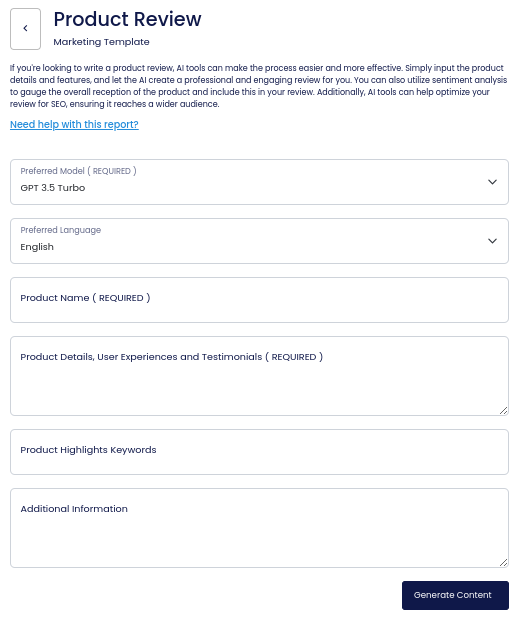
On the left side section, fill out the form with the input content that you would like to run as input.
If there are any other form inputs, then fill them in (this will only be applicable to certain reports; if this is not available, skip to Step 4).
What is the fourth step to generate content?
Generate your content by clicking on the Generate Content button.
What is the fifth step to view generated content?
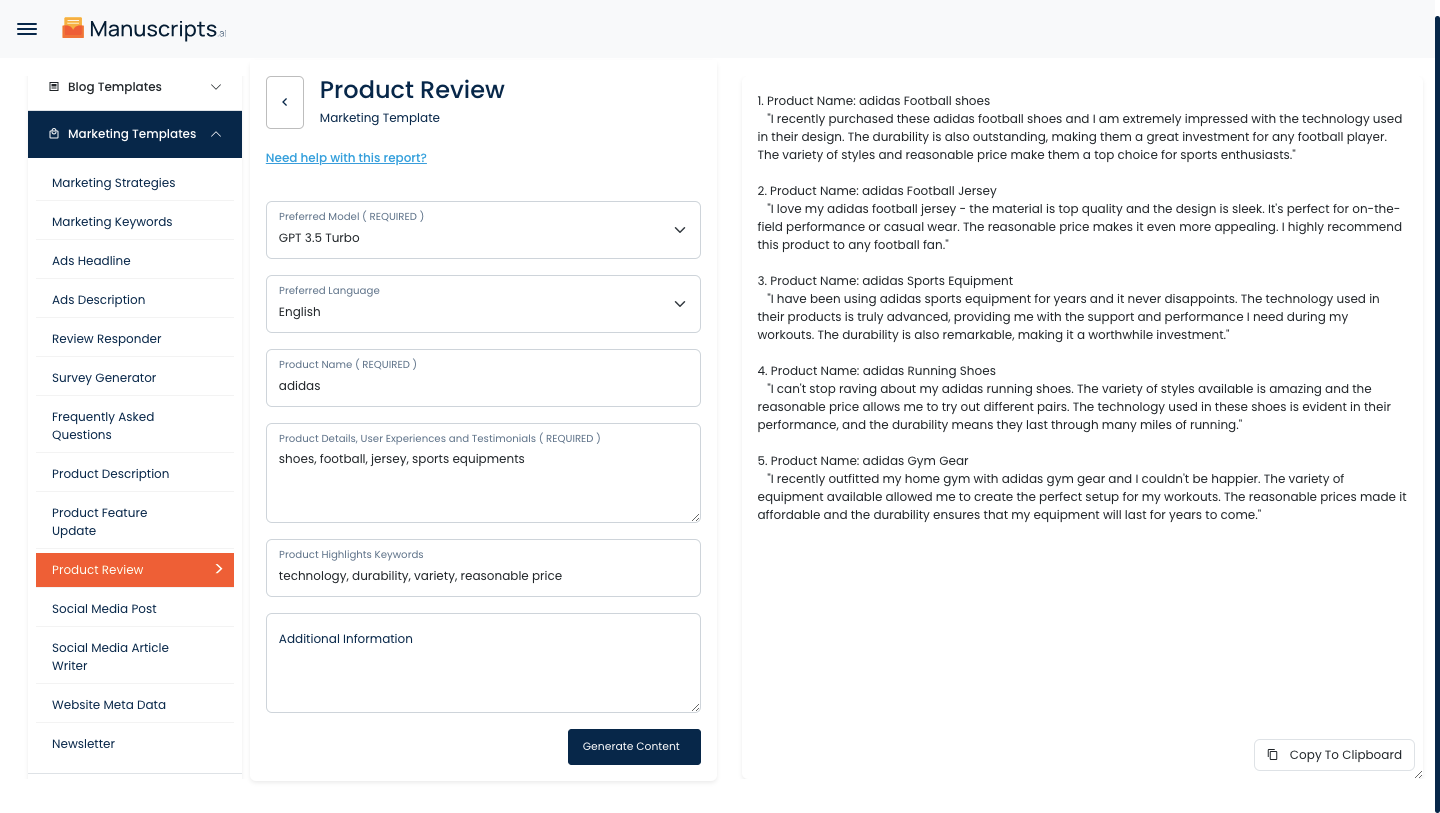
Your output content will appear on the right side of the section after a short while.
What is the sixth step to copy generated content?
Copy your output content for further use by clicking the Copy to Clipboard button.

Note: You can also access your output content from the History section in the future.