
AI Product Description Generator: Create Engaging Descriptions Fast
Introducing our cutting-edge AI tool designed to revolutionize product descriptions and transform the way your customers interact and engage with your products. Our AI tool utilizes advanced natural language processing and machine learning algorithms to generate unique, compelling, and informative descriptions for your products.
How to Describe a Product Using AI Tools?
With our AI tool, you can say goodbye to the tedious task of manually crafting product descriptions. Our AI tool can analyze the key features, benefits, and specifications of your products and generate high-quality descriptions in a fraction of the time it would take a human writer. This not only saves you time and resources but also ensures consistency and accuracy across all of your product descriptions.
Our AI tool is also capable of adapting its writing style to match your brand’s tone and voice, ensuring that the generated descriptions seamlessly integrate with your overall branding strategy. Whether you sell clothing, electronics, home goods, or any other type of product, our AI tool can create descriptions that resonate with your target audience and drive sales.
Furthermore, our AI tool is constantly learning and evolving, meaning that it can continuously improve its description-writing capabilities based on feedback and performance data. This ensures that your product descriptions are always up-to-date and optimized for maximum impact.
In summary, our AI tool is a game-changer for businesses looking to streamline their product description process, enhance their online presence, and drive sales. Try our AI tool today and experience the power of automated, intelligent product descriptions.
How do I access the AI Editor Tool?
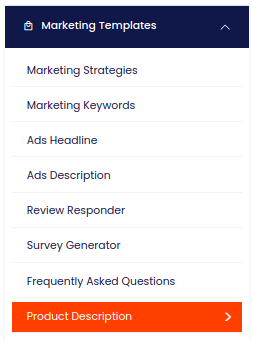
To access the AI Editor Tool, simply click on the 'AI Editor Tool' option in the main menu. This action will direct you to the AI Editor Tool page, where you can utilize a wide variety of AI tools to your advantage and make the most out of your AI experience.
| 1) Dashboard Option |  |
How can I expand my story using the AI Editor Tools?
How do I fill out the input form for content generation?
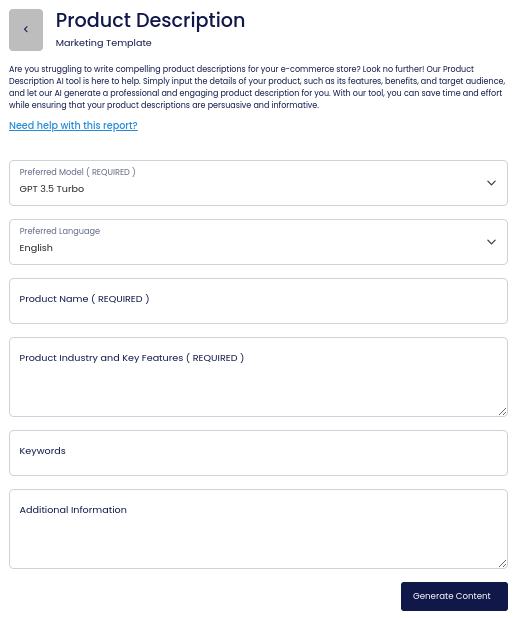
To fill out the input form for content generation, navigate to the left side section and enter the content you wish to use as input. If additional form inputs are present (applicable only to certain reports), ensure they are also completed; otherwise, proceed to Step 4.
To fill out the input form for content generation, navigate to the left side section and enter the content you wish to use as input. If additional form inputs are present (applicable only to certain reports), ensure they are also completed; otherwise, proceed to Step 4.
How do I generate my content?
To generate your content, simply click on the 'Generate Content' button.
Where will my output content appear?
Your output content will appear on the right side of the section after a short while.

How do I copy my output content?
To copy your output content for further use, click the 'Copy to Clipboard' button.
Note: You can also access your output content from the History section in the future.