AI Email Subject Line Generator: Boost Open Rates & Engagement

Introducing our revolutionary Email Subject AI Tool, designed to help you craft the perfect subject lines that grab your reader’s attention and increase open rates. With the power of artificial intelligence, this tool analyzes your content and provides suggestions for compelling and engaging subject lines that resonate with your audience.

How to Generate Email Subject Using AI Tools?

Our Email Subject AI Tool uses advanced algorithms to understand the tone, context, and sentiment of your email content, allowing it to generate subject line options that are both relevant and impactful. Whether you’re looking to promote a new product, announce a special sale, or simply boost engagement with your subscribers, our AI tool can help you find the right words to drive results.

By taking the guesswork out of crafting subject lines, our AI tool saves you time and effort while improving the effectiveness of your email marketing campaigns. You can say goodbye to the stress of trying to come up with attention-grabbing subject lines on your own, as our AI tool does the heavy lifting for you.

In addition to suggesting subject lines, our AI tool also provides insights into how likely each option is to perform, based on industry benchmarks and best practices. This allows you to make informed decisions about which subject lines are most likely to resonate with your audience and drive the results you desire.

Say hello to higher open rates and more engaging email campaigns with our Email Subject AI Tool. Try it out today and see the difference it can make in your email marketing efforts!

How do I access the AI Editor Tool?
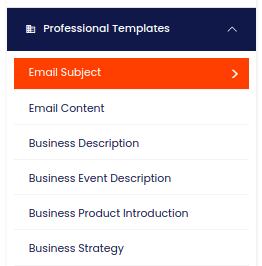
To access powerful AI tools, simply click on the AI Editor Tool option in the main menu. This will take you to the AI Editor Tool page, where you can utilize a wide variety of AI tools to your advantage and make the most out of your AI experience.
1) Dashboard Option
How do I expand my story using the AI Editor Tool?
To expand your story, select this feature on the AI Editor Tools page. Upon selection, the AI Editor Tools page will provide you with various options to develop your story, improving your overall AI experiences.
How do I input content into the AI Editor Tool?
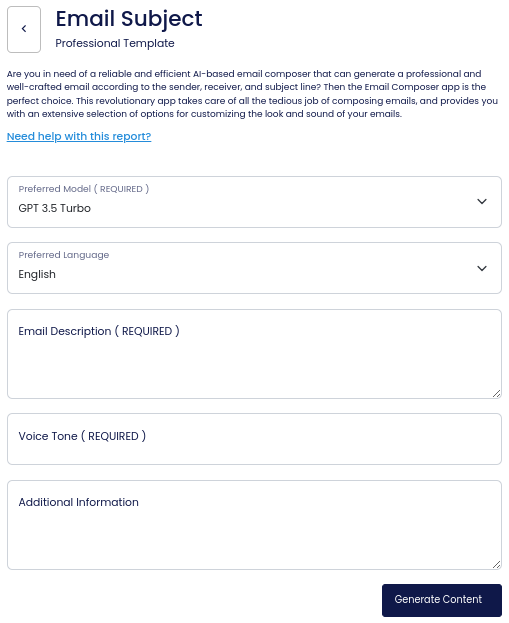
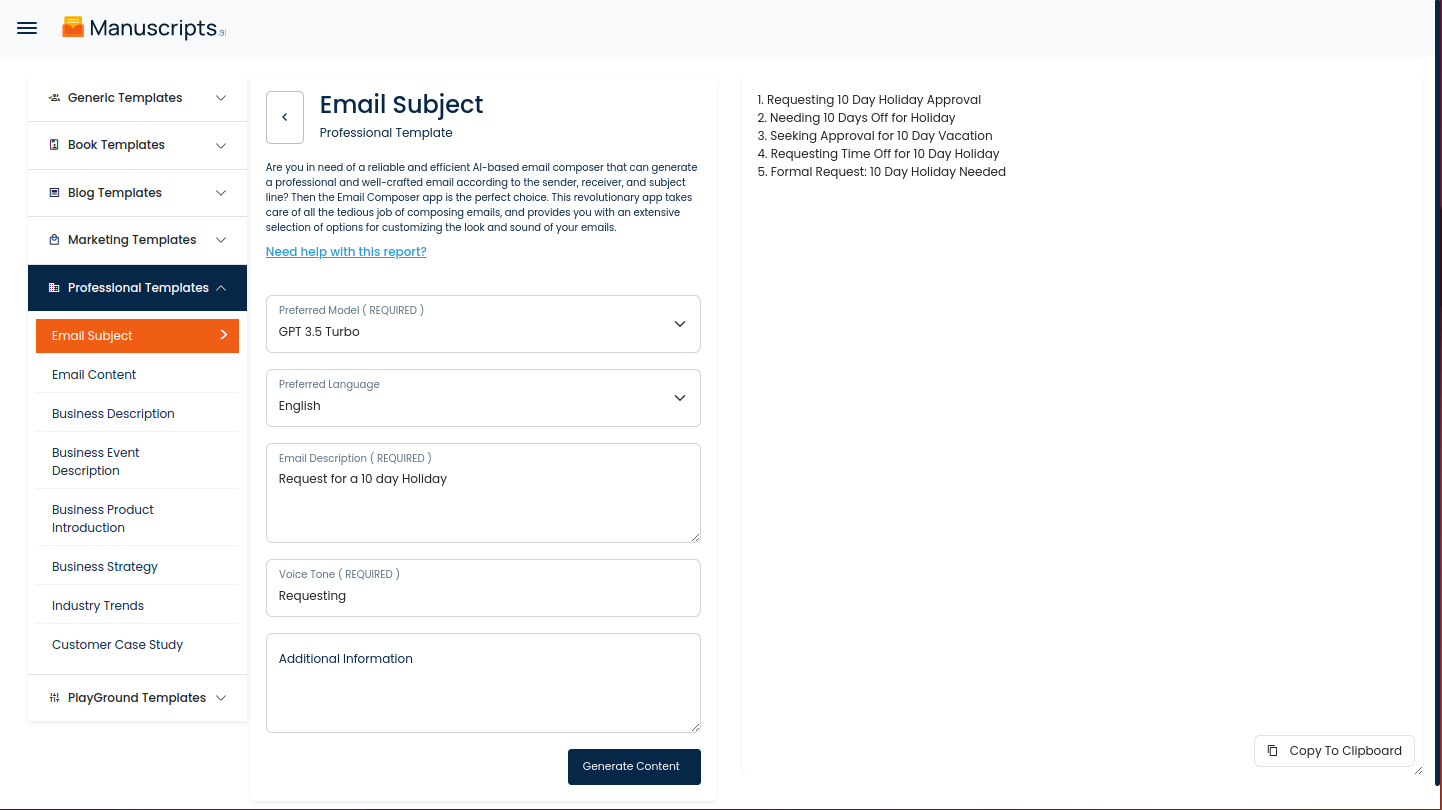
To input content, fill out the form on the left side section with the content you would like to run. If there are any other form inputs, fill them in (this will only be applicable to certain reports; if not available, skip to Step 4).
How do I generate content with the AI Editor Tool?
Generate your content by clicking on the Generate Content button.
Where will my generated content appear?
Your output content will appear on the right side of the section after a short while.
How do I copy the generated content?
Copy your output content for further use by clicking the Copy to Clipboard button.
Note: You can also access your output content from the History section in the future.