
Email Content AI Tools: Supercharge Your Marketing
Our email content AI tool is designed to revolutionize the way you create and optimize your email marketing campaigns. By harnessing the power of artificial intelligence, this innovative tool helps you craft compelling and effective email content that resonates with your audience and drives results.
How to Generate Email Content Using AI Tools?
With our email content AI tool, you can say goodbye to the tedious and time-consuming process of writing and refining email copy. By leveraging advanced natural language processing and machine learning algorithms, our tool can analyze your target audience, understand their preferences, and generate personalized, engaging content that connects with them on a deeper level.
Whether you’re looking to promote a new product, share industry insights, or nurture leads, our email content AI tool provides you with the tools and resources you need to create impactful email campaigns. From attention-grabbing subject lines to persuasive calls to action, our tool helps you optimize every aspect of your email content to maximize open rates, click-through rates, and conversion rates.
Furthermore, our email content AI tool is constantly learning and evolving, ensuring that your email content is always informed by the latest trends and best practices in the industry. This means that you can stay ahead of the curve and continue to deliver engaging and relevant content to your audience.
In addition, our tool is incredibly user-friendly, allowing even non-technical users to create professional and compelling email content with ease. With its intuitive interface and comprehensive features, our email content AI tool is the ultimate solution for businesses looking to supercharge their email marketing efforts.
STEP 1
Gain access to powerful AI tools simply by clicking on the AI Editor Tool option. Once you click it, you’ll be taken to the AI Editor Tool page, where you’ll be able to utilize a wide variety of AI tools to your advantage. So if you’re looking to make the most out of your AI experience, then clicking on the AI Editor Tool option in the main menu is your first step!
| 1) Dashboard Option |  |
STEP 2
STEP 3
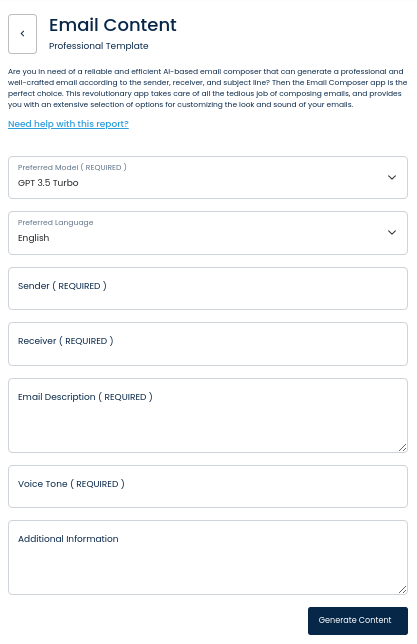
On the left side section, fill out the form with the input content that you would like to run as input.
If there are any other form inputs, then fill them in (this will only be applicable to certain reports; if this is not available, skip to Step 4).
STEP 4
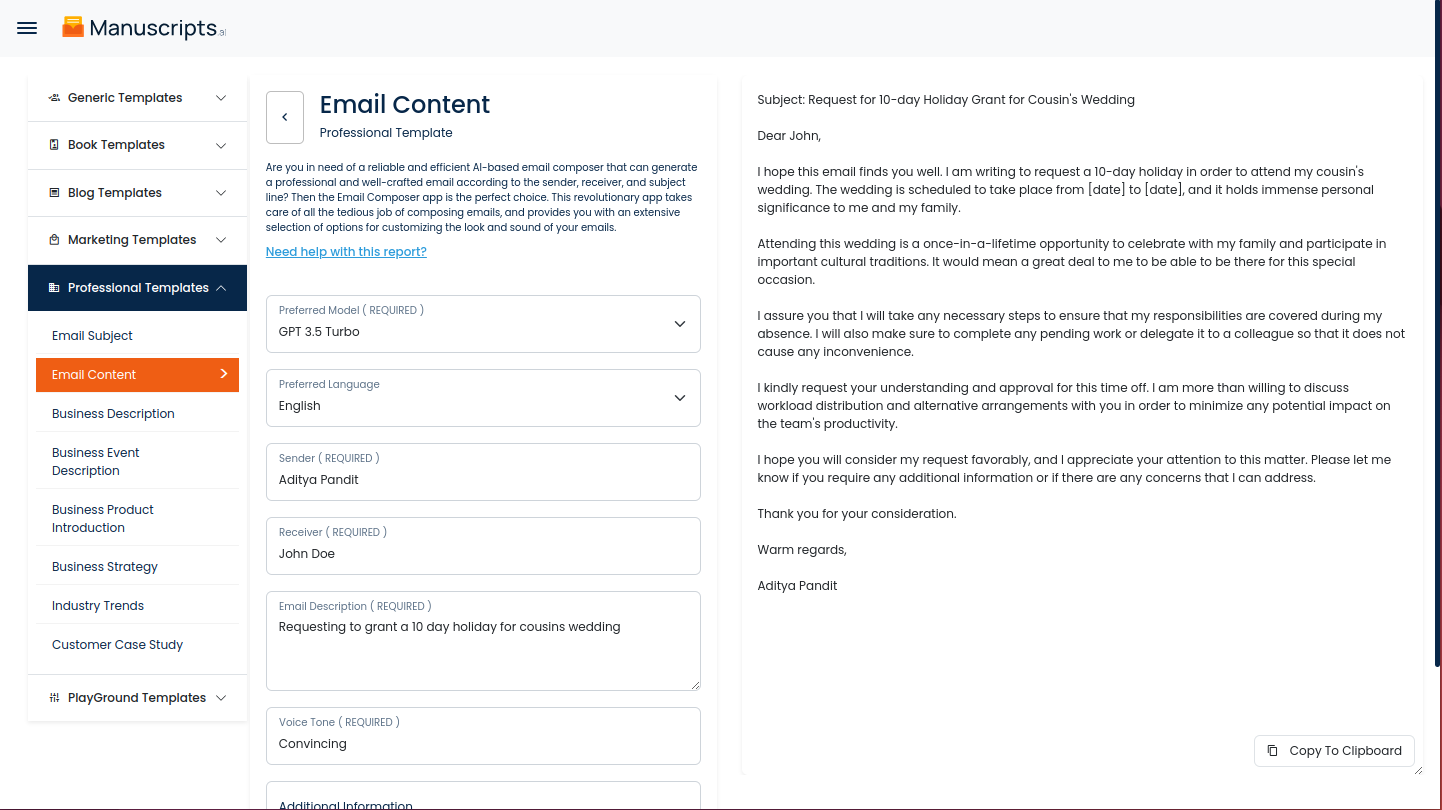
Generate your content by clicking on the Generate Content button.
STEP 5
Your output content will appear on the right side of the section after a short while.
STEP 6
Copy your output content for further use by clicking the Copy to Clipboard button.

Note: You can also access your output content from the History section in the future.