

Summary Generator
Introducing our Summary Generator tool, the perfect solution for students looking to create concise and accurate summaries of their content. With this easy-to-use tool, students can quickly and efficiently generate a summary that captures the main points and essential information from any piece of written material.
How To Generate Summary Using Selection Tools ?
Our Summary Generator is designed to help students streamline their study process by allowing them to input a text or article, and then automatically generate a well-crafted summary that captures the key points in the content. This can be incredibly helpful for students who need to quickly grasp the main ideas of complex material, or for those who want to ensure they have a comprehensive understanding of the material they are studying.
This tool is particularly valuable for students who are looking to enhance their comprehension and retention of information, as it encourages them to actively engage with the material and identify the most important points. Additionally, the summaries generated by our tool are well-structured and easy to read, making them an excellent study aid for exams, essays, and presentations.
Our Summary Generator is also a time-saving tool for students, as it allows them to create a summary in a matter of minutes, rather than spending valuable time manually combing through lengthy texts. This can be particularly beneficial for students with busy schedules and multiple assignments to complete.
In summary, our Summary Generator tool is an invaluable resource for students seeking to improve their study habits, comprehension, and efficiency. Try it out today and experience the benefits for yourself!
STEP 1
Begin by opening the book for which you want to create a report.
STEP 2
Use the mouse or keyboard controls to select the desired input content, then click on “Summary Generator” under more tools option.
1) Selection Tooltip Option

2) Topbar Option

STEP 3
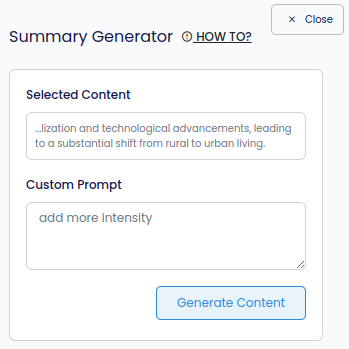
Provide a prompt if you have any additional requirements.
STEP 4
Proceed by clicking on “Generate Content.”
STEP 5
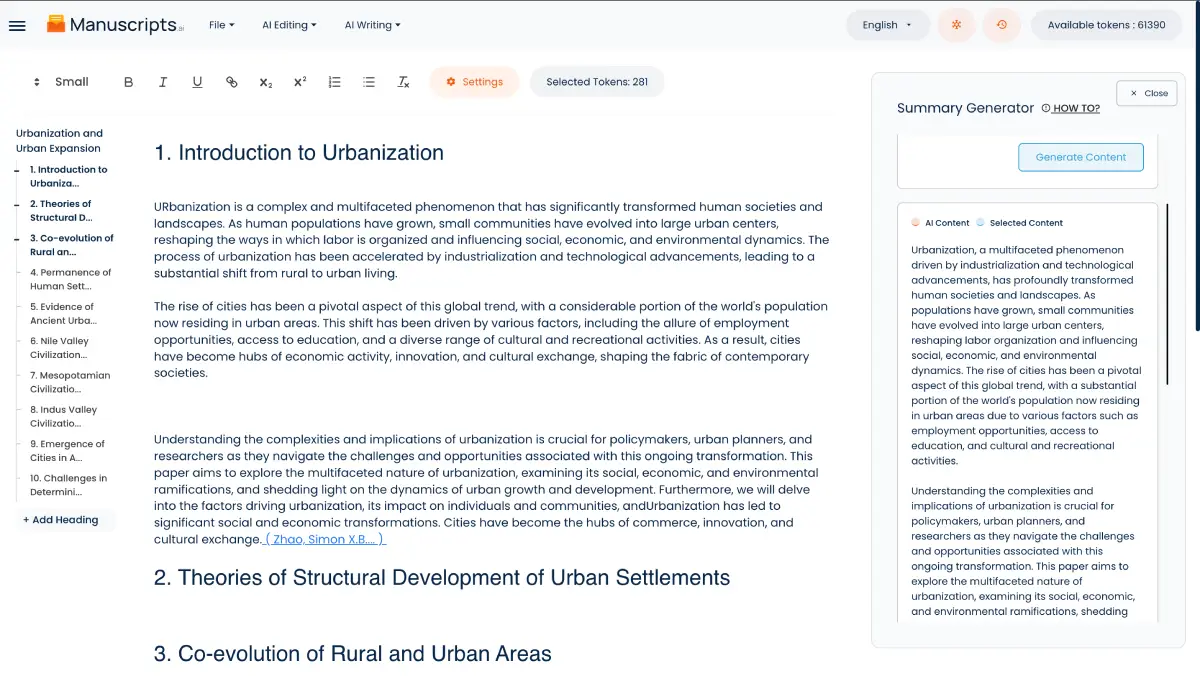
Keep an eye on the right sidebar where the results will start appearing.
STEP 6
To incorporate the generated content into the editor, click on “Insert Text on the Card.”

Note: When the content is inserted, you will notice two different sets of highlighted text, each assigned a different color. This distinction is made between AI-generated content and the content you have personally written.